Showing posts with label Office. Show all posts

Office 2013 is Microsoft's desktop and cloud productivity suite. It's available as a stand alone desktop package or through Microsoft's Office 365 subscription model. It's various versions include the programs:
- · Word 2013
- · Excel 2013
- · PowerPoint 2013
- · Outlook 2013
- · Access 2013
- · OneNote 2013
- · Project 2013
- · Publisher 2013
- · Visio 2013
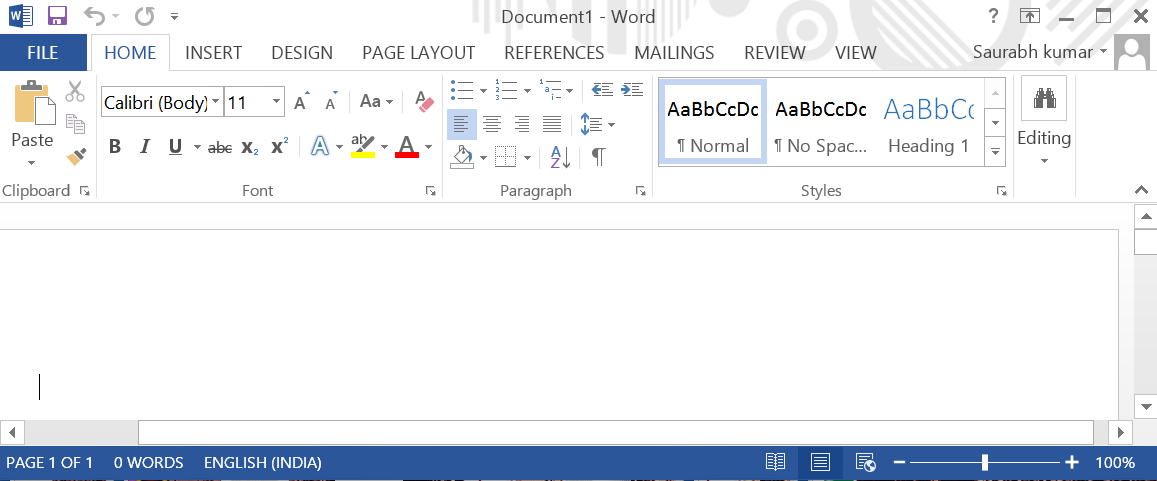
The first thing you'll notice when starting Microsoft Office 2013 is it's clean, refreshing and coherent look across all supported platforms including desktop, smartphones and tablets. Through a subscription of Office 365 and the integration with SkyDrive you can access and edit your files from any computer via a browser.
Among the new features are a "Read Mode" in Word 2013 which removes toolbars and lets you swipe and tab through a document like in an "E-Reader". Videos are better supported. They can be searched, added and viewed directly within Word. Excel 2013 has new easy ways of working with formulas and charts in spreadsheets. Powerpoint 2013 was enhanced with better controls while in presentation mode, for example "Slide Zoom" to zoom in on a section of your slide. Adding photos to a presentation also became easier as you can now search and add pictures from your albums on Flickr and other online photo and social network sites
Standard system requirements for Office 2013
| Component | Office 2013 requirements | ||
| Computer and processor | 1 gigahertz (GHz) or faster x86- or x64-bit processor with SSE2 instruction set | ||
| Memory (RAM) | 1 gigabyte (GB) RAM (32-bit); 2 gigabytes (GB) RAM (64-bit) | ||
| Hard Disk | 3.0 gigabytes (GB) available | ||
| Display | Graphics hardware acceleration requires a DirectX10 graphics card and a 1024 x 576 or higher resolution monitor | ||
| Operating System | Office 2013 runs on 32-bit and 64-bit versions of Microsoft Windows operating systems. When you run Office 2013 32-bit on a 64-bit version of a Windows operating system, the program runs in the 32-bit layer of the Windows operating system. For more information, see 64-bit editions of Office 2013. Here are supported Windows operating systems on which you can run Office 2013 32-bit and 64-bit programs. Office 2013 32-bit products are supported on the following Windows operating systems: · Windows 7 (32-bit or 64-bit) · Windows 8 (32-bit or 64-bit) · Windows 8.1 (32-bit or 64-bit) · Windows Server 2008 R2 (64-bit)* · Windows Server 2012 (64-bit)** Office 2013 64-bit products are only supported on the following Windows operating systems: · Windows 7 (64-bit) · Windows 8 (64-bit) · Windows 8.1 (64-bit) · Windows Server 2008 R2 (64-bit)* · Windows Server 2012 (64-bit)** *Windows Server 2008 R2 is available only in 64-bit architecture **Windows Server 2012 is available only in 64-bit architecture
| ||
| Browser | Internet Explorer 8, 9, 10, or 11; Mozilla Firefox 10.x or a later version; Apple Safari 5; or Google Chrome 17.x. | ||
| .NET version | 3.5, 4.0, or 4.5 | ||
| Multi-touch | A touch-enabled device is required to use any multi-touch functionality. But, all features and functionality are always available by using a keyboard, mouse, or other standard or accessible input device. Note that new touch features are optimized for use with Windows 8. | ||
| Additional requirements and considerations | Some functionality may vary, based on the system configuration. Some features may require additional or advanced hardware or server connectivity. |

Download Links :
32-bit :
Part1 : link
Part2 : link
Part3 : link
64-bit :
Part1 : link
Part2 : link
Part3 : link
Pass : www.top2download.com

Review :
Where Office 2010 is concerned, asking “what’s new” is fraught with danger: there’s just so much. Indeed, so many new features are there, that we’ve highlighted some of the best in a whole separate article: 15 Best Office 2010 Features. It doesn’t cover all of them, but they’re our favourites and go to prove that Office 2010 has plenty to offer over the somewhat divisive Office 2007. If you want a slightly more digestible idea of what Office 2010 entails, we suggest you start there.
If you were one of those who didn’t take to Office 2007, chances are you weren’t too keen on its new Ribbon interface. In which case we have bad news for you: it’s everywhere in Office 2010. However, while it’s something of an acquired taste for those used to the toolbars of previous Offices, given time it’s easy to appreciate how much more efficient and intuitive the ribbons are. It helps, of course, that Microsoft has fine-tuned ribbons extensively, while also offering more flexibility so you can customise them to suite your needs. Also of great benefit is the quick access toolbar (also customisable) in the top left corner, which gives you access to common functions (e.g. save, undo, redo etc.), leaving the ribbon to deal all those context sensitive bits.

Another addition that spans every application in Office 2010 is Backstage View. This is essentially the ‘File’ tab as seen in Office 2003 et al and, unlike Office 2007 and the Office 2010 Technical Preview, it’s actually labelled as such, rather than as the ‘Office Button’ seen in both of those. This piece of semantics should help people migrating from Office 2003, but Backstage View itself is a massive improvement on the ‘File’ tab of old as it presents a consistent, unified appearance for many of the functions that are universal to all the applications. Particularly beneficial are the printing options, where you can change the page properties, preview the outcomes and execute print jobs all from one screen. This is also where you can manage permissions for collaborative documents, an area that’s much enhanced in 2010.
Collaboration also brings us neatly onto another new aspect of the Office experience: Office Web Apps. Though one could conceivably use the Web Apps – which comprise versions of Word, Excel, PowerPoint and OneNote – as alternatives to the real thing, they’re really meant to complement the desktop Office suite. Here you can easily access and edit your documents remotely, while also sharing them with those who mightn’t have access to a full version of Office. More impressions on the Office Web Apps can be found later in the review.
One other important development in the world of Office is the presence of a 64-bit version. For various reasons it does lack one or two features of Office 32-bit and Microsoft recommends most users stick with 32-bit, but what it does bring is a lifting of the file size limitations that might have hampered power users when using Excel or Access. In time it might bring further benefits.
Download Links
32-bit :
Part1 : Link
Part2 : link
Part3 : link
64-bit :
Part1 : link
Part2 : link
Part3 : link
What’s new?
Where Office 2010 is concerned, asking “what’s new” is fraught with danger: there’s just so much. Indeed, so many new features are there, that we’ve highlighted some of the best in a whole separate article: 15 Best Office 2010 Features. It doesn’t cover all of them, but they’re our favourites and go to prove that Office 2010 has plenty to offer over the somewhat divisive Office 2007. If you want a slightly more digestible idea of what Office 2010 entails, we suggest you start there.
If you were one of those who didn’t take to Office 2007, chances are you weren’t too keen on its new Ribbon interface. In which case we have bad news for you: it’s everywhere in Office 2010. However, while it’s something of an acquired taste for those used to the toolbars of previous Offices, given time it’s easy to appreciate how much more efficient and intuitive the ribbons are. It helps, of course, that Microsoft has fine-tuned ribbons extensively, while also offering more flexibility so you can customise them to suite your needs. Also of great benefit is the quick access toolbar (also customisable) in the top left corner, which gives you access to common functions (e.g. save, undo, redo etc.), leaving the ribbon to deal all those context sensitive bits.
Another addition that spans every application in Office 2010 is Backstage View. This is essentially the ‘File’ tab as seen in Office 2003 et al and, unlike Office 2007 and the Office 2010 Technical Preview, it’s actually labelled as such, rather than as the ‘Office Button’ seen in both of those. This piece of semantics should help people migrating from Office 2003, but Backstage View itself is a massive improvement on the ‘File’ tab of old as it presents a consistent, unified appearance for many of the functions that are universal to all the applications. Particularly beneficial are the printing options, where you can change the page properties, preview the outcomes and execute print jobs all from one screen. This is also where you can manage permissions for collaborative documents, an area that’s much enhanced in 2010.
Collaboration also brings us neatly onto another new aspect of the Office experience: Office Web Apps. Though one could conceivably use the Web Apps – which comprise versions of Word, Excel, PowerPoint and OneNote – as alternatives to the real thing, they’re really meant to complement the desktop Office suite. Here you can easily access and edit your documents remotely, while also sharing them with those who mightn’t have access to a full version of Office. More impressions on the Office Web Apps can be found later in the review.
One other important development in the world of Office is the presence of a 64-bit version. For various reasons it does lack one or two features of Office 32-bit and Microsoft recommends most users stick with 32-bit, but what it does bring is a lifting of the file size limitations that might have hampered power users when using Excel or Access. In time it might bring further benefits.
Download Links :
32-bit :
Part 1 : link
Part 2 : link
64-bit :
Part 1 : link
Part 2 : link
Pass : www.top2download.com

